Current version: AIBANIVIA Android v0.5.10
Download only from official AIBANIVIA links, and check that the domain is www.aibanivia.cn before you install. To understand the product and what is in the closed beta, read the AIBANIVIA product introduction.
Download Android APKService registration
AIBANIVIA generative AI service registration
Registration number: Shanghai-BanYiAIBANIVIA-20260917S0231
Registered entity: Shanghai Changban Future Intelligent Technology Co., Ltd. · Registered on 2026-09-17
Full AI service and filing disclosure (Chinese)Before you install
- This is a closed beta build for Android, distributed to invited testers.
- The package name is com.aibanivia.android. The release build is signed, so later builds with the same signature install over it.
- If an older build with a different signature is already installed, uninstall it first.
- Some Android skins warn about apps from unknown sources. Allow this installation only after you have confirmed the link is an official AIBANIVIA link.
Installation steps
- Tap “Download Android APK” above.
- When the download finishes, open the APK from the browser download list or from your file manager.
- If the system blocks the install, follow its prompt to allow installation for that browser or file manager.
- Open AIBANIVIA, read and accept the terms of service and the privacy policy, then sign in or register.
About this build
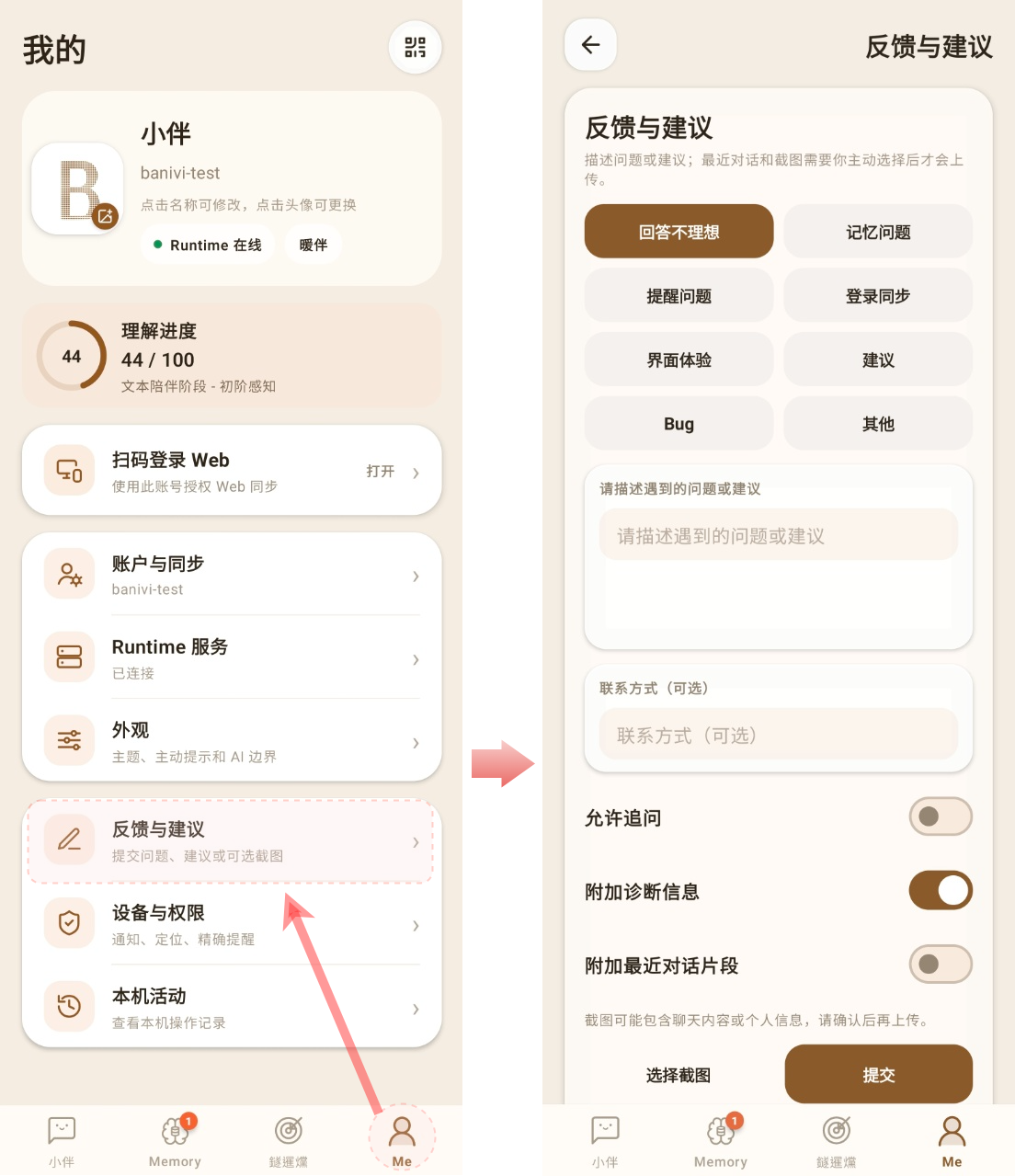
Beta builds can change behaviour, become temporarily unavailable, or have compatibility issues. If something breaks, use “Feedback” inside the app and send a description plus a screenshot, so the device model, system version and steps to reproduce can be captured.
Reporting a problem
If sign-in, networking, memory, interest cards or QR login fail, open “Me” - “Feedback” inside the app and submit the report there.
Describe the issue and attach a screenshot, and mention your device model, system version, when it happened and the steps. Feedback is used only to reproduce the problem and improve the product.
Agreements
Read the agreements before installing and using the app. On first launch you must accept them to continue. Legal documents are published in Chinese only.
Terms of Service (Chinese) Privacy Policy (Chinese) Personal information and privacy rights (Chinese)