AIBANIVIA PERSONAL AI COMPANION
AIBANIVIA
A personal AI companion that comes to understand you — and always leaves the decision to you
What genuinely matters in a conversation is turned into reviewable long-term memory, goals you can keep working on, natural-language reminders, and interest cards with a lifecycle.
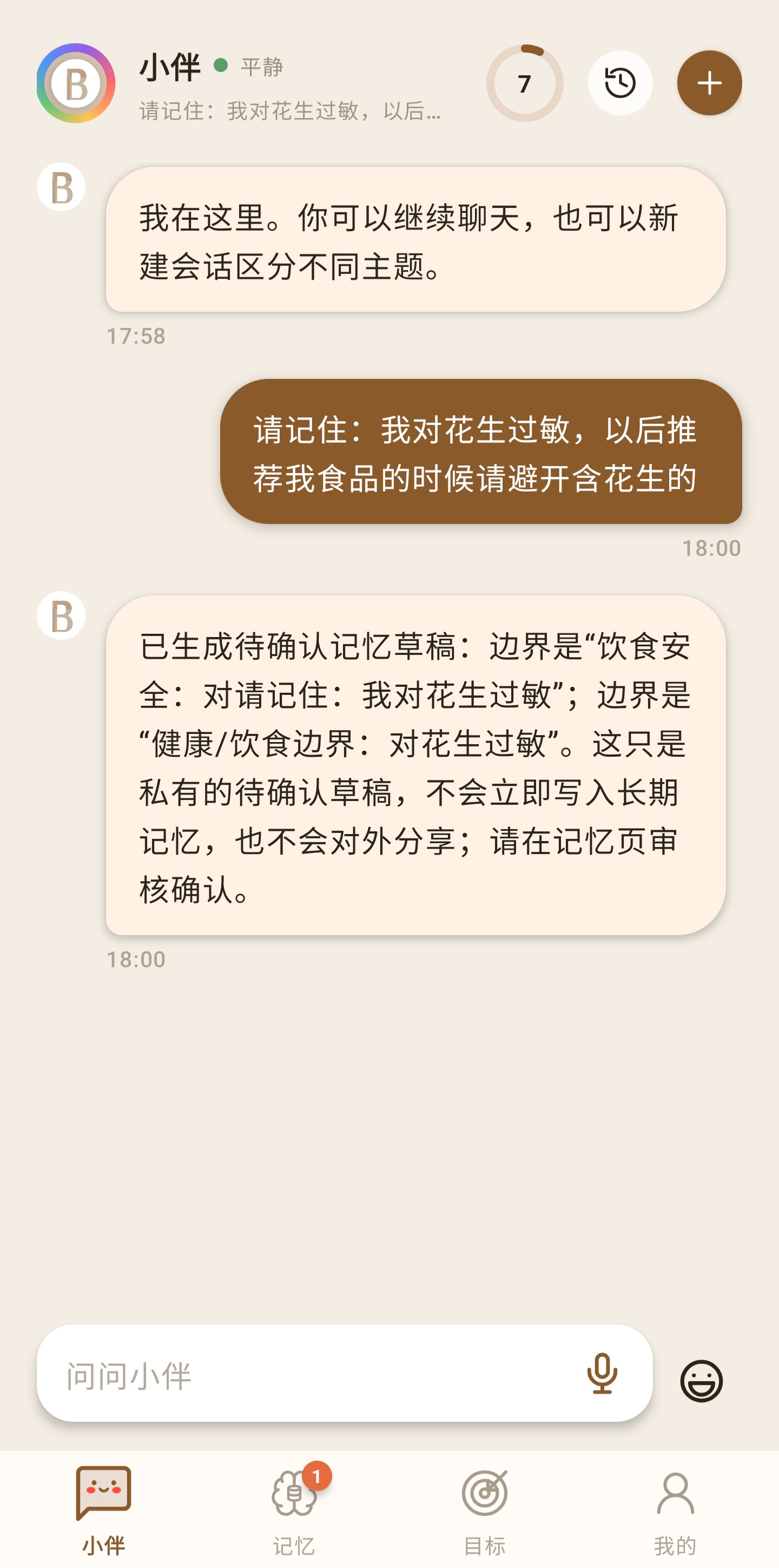
Important details become a pending draft first. They only enter long-term memory after you review them.
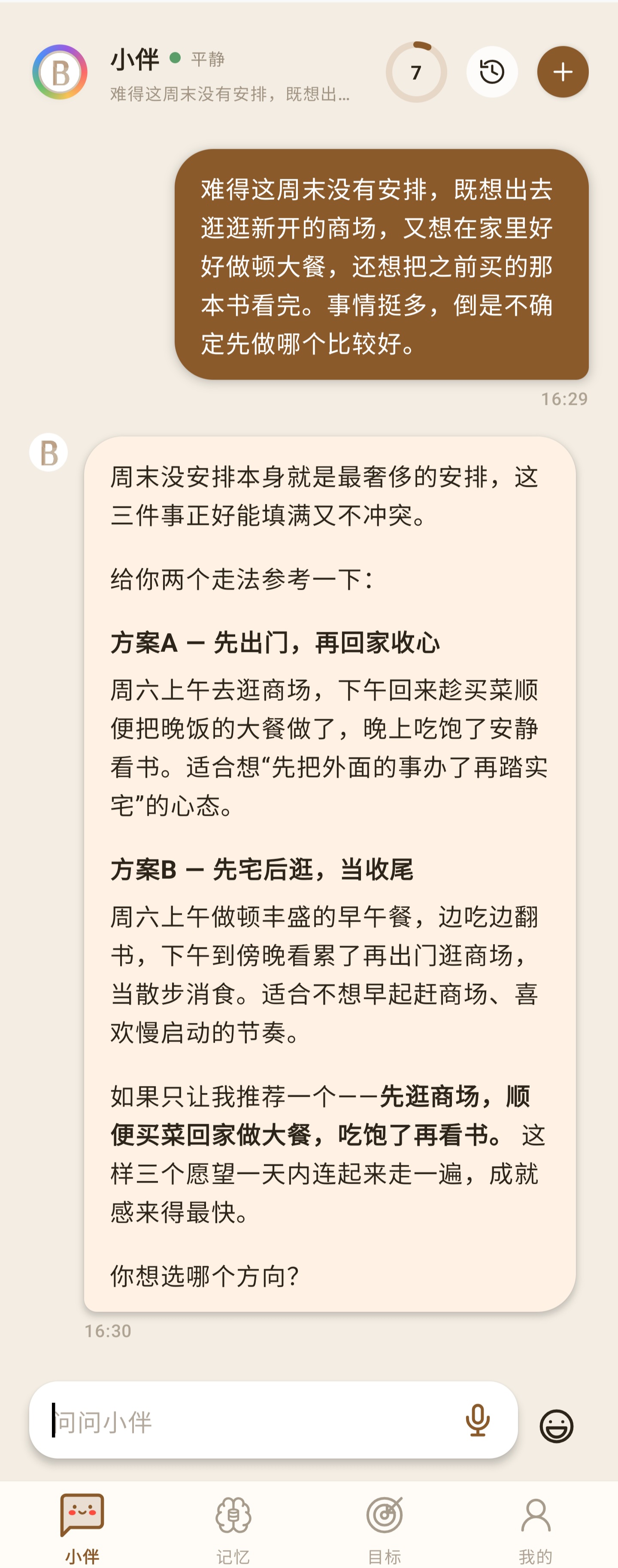
Start from a natural conversation, and keep helping when it is actually needed.
WHAT IT DOES
Conversations do not stay buried in the chat log
Once you confirm it, a single natural-language sentence can become a personal asset that is genuinely useful later. The point of AIBANIVIA is not to record as much as possible — it is to keep only what you approved, what you can manage, and what can still work for you in the future.
Discuss plans, sort out thinking, ask for advice — no commands to learn first.
A review draft comes first; only what you accept becomes callable memory.
Uses the preferences, habits and boundaries you already confirmed.
Create a goal in one sentence, then keep seeing the next step and progress.
Describe the time and the thing; after confirmation the reminder is created.
Temporary reading expires on its own; only what you keep is stored long term.
Start with a natural, continuous conversation
Say the thing you have not fully worked out. AIBANIVIA helps you find the rhythm and an easier next step.
You can talk about the weekend, work pressure, a study plan or a life decision. AIBANIVIA answers the question in front of it first — it does not try to convert every conversation into a task.
- Today is overloaded and I do not know what to do first.
- I have a few ideas for the weekend and want to keep it light.
- Something at work or at home — I want to think it through first.
- I want advice that gradually fits my actual situation.
Important details are reviewed before they are kept
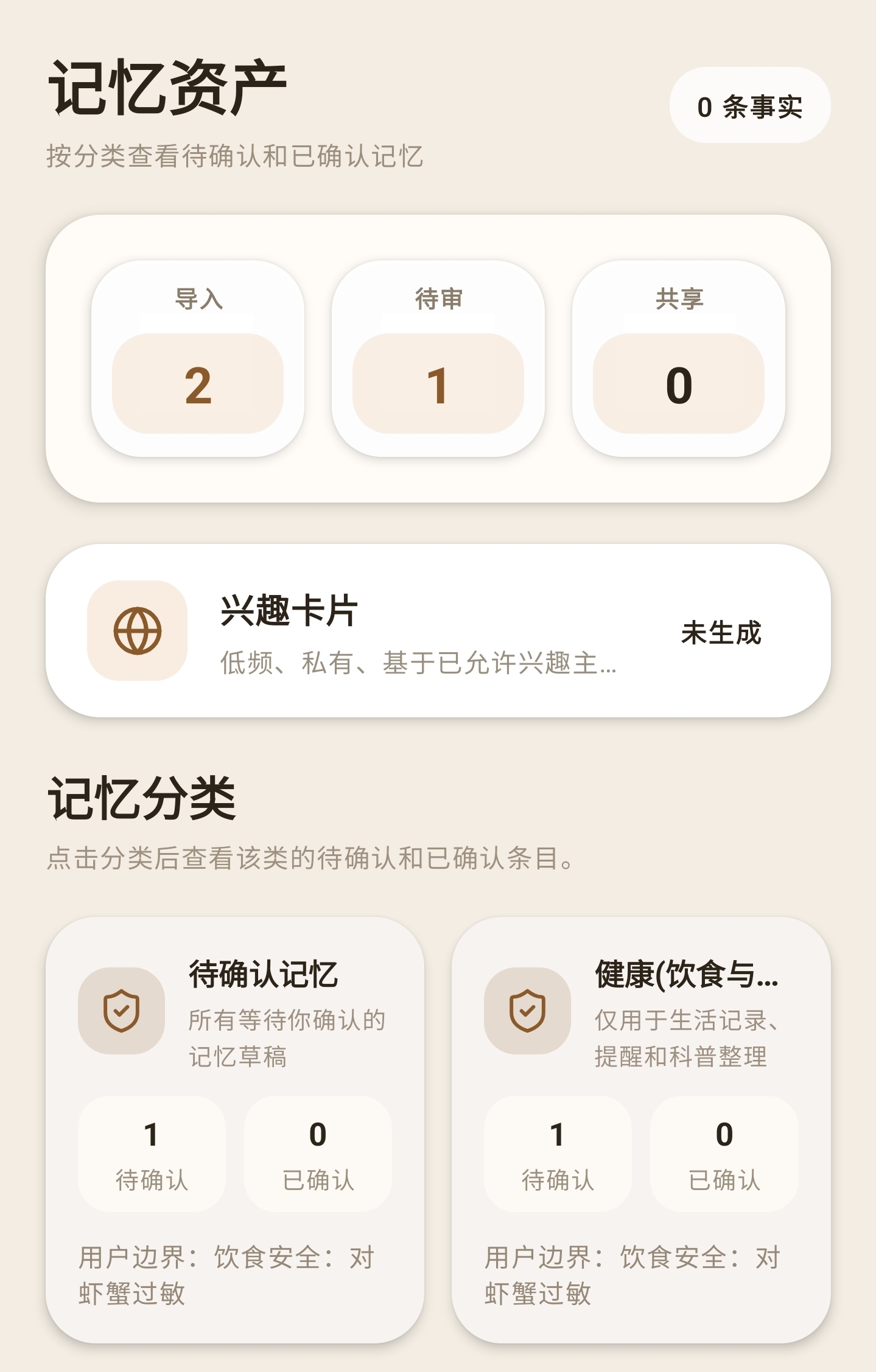
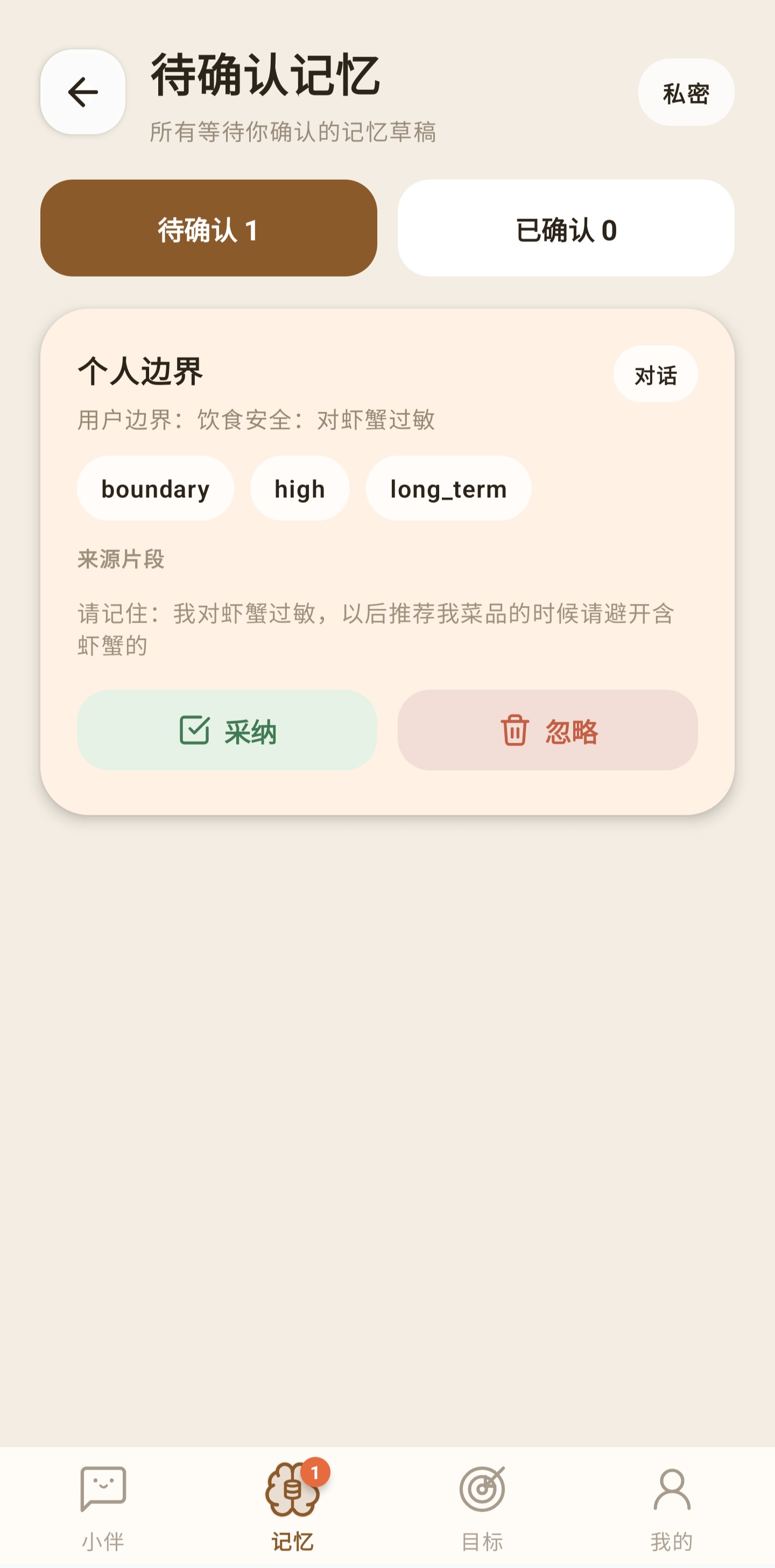
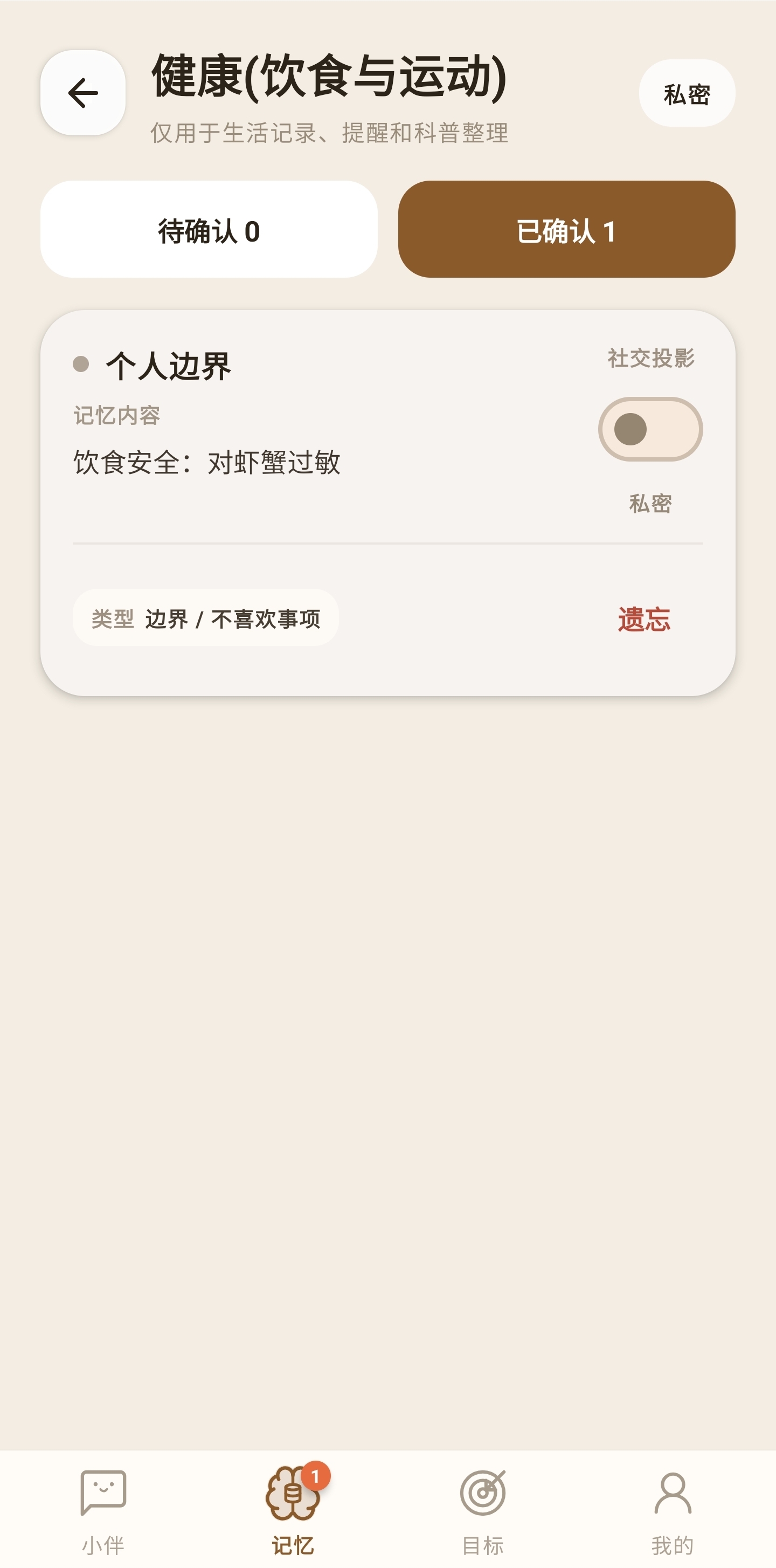
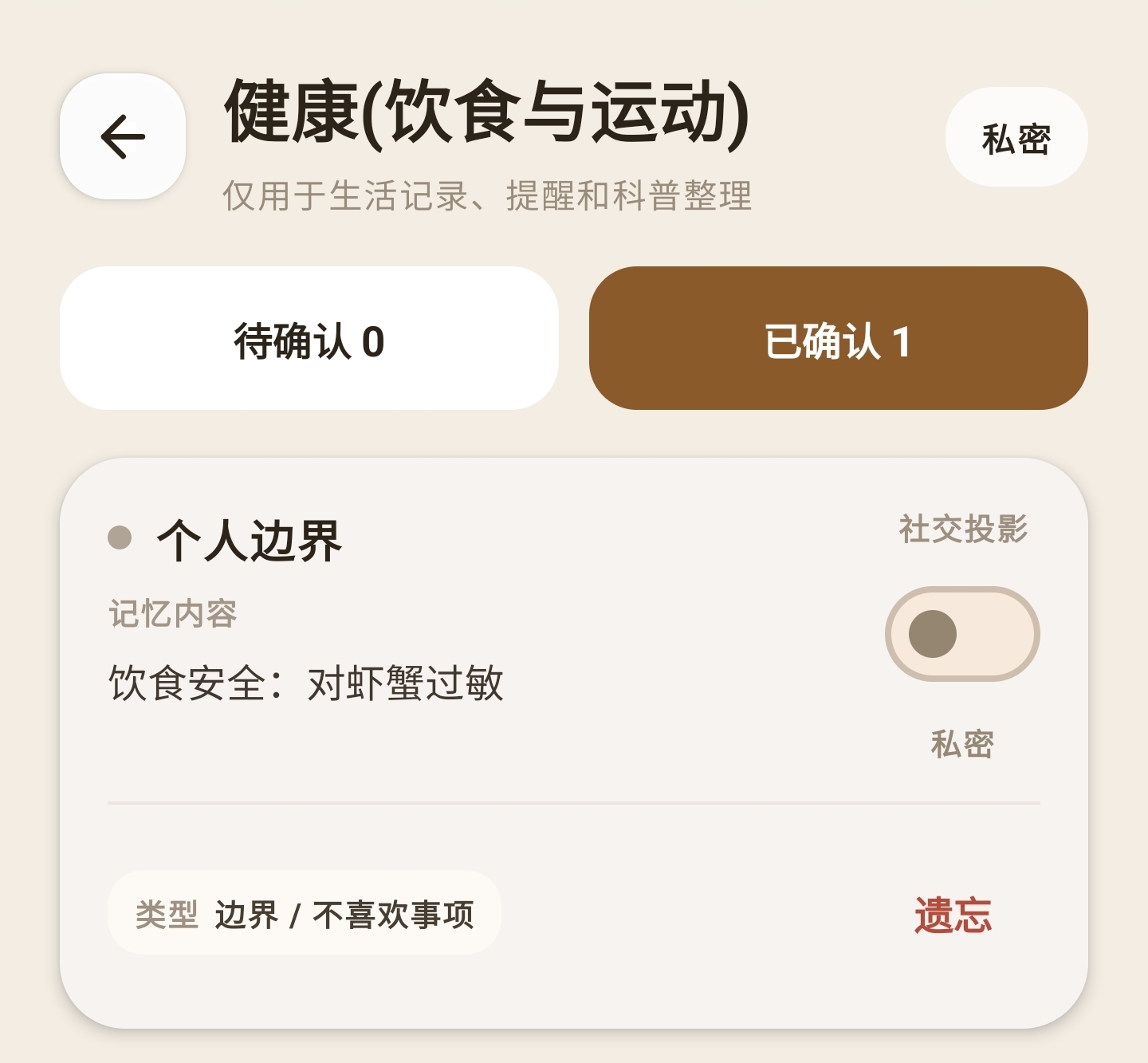
AIBANIVIA does not turn every chat into permanent data. What you clearly want kept becomes a pending draft first.
What reviewed memory solves
- Casual chatter is not mistaken for a stable fact.
- You can see what AIBANIVIA is about to remember.
- Content missing context can be corrected before it is saved.
- Health boundaries, ordinary preferences and temporary plans are not one bucket.
UNDERSTANDING PROGRESS
Understanding progress is a reference for how much it knows — not a rating of you
Understanding progress shows how much usable context AIBANIVIA has gathered through your own reviews and continued use. It is not a membership tier, an activity ranking, a spending score or a credit score, and it is not used to evaluate you.
What affects understanding progress
- How many long-term memories you have reviewed and confirmed.
- Which areas of life those confirmed details cover — daily life, health, relationships, interests.
- Continued interaction, and whether confirmed memory is used correctly.
- Whether your boundaries are respected, and your feedback on memory use.
Pending drafts do not count towards stable understanding. If you delete or forget a confirmed memory, understanding progress is recalculated from what is still valid, so the figure can go down.
How the statistic protects privacy
The understanding-progress statistic stores only the score, the stage, the update time and component indicators that contain no specific content. It does not keep a separate copy of your memory text or your conversation text.
Let confirmed memory improve later answers
The value of a memory is not only that it is stored — it is that it gets used correctly on a question that is actually related.
When you ask for dinner ideas, AIBANIVIA can take your confirmed dietary boundaries into account, avoid ingredients that do not suit you, and explain why it recommended what it did.
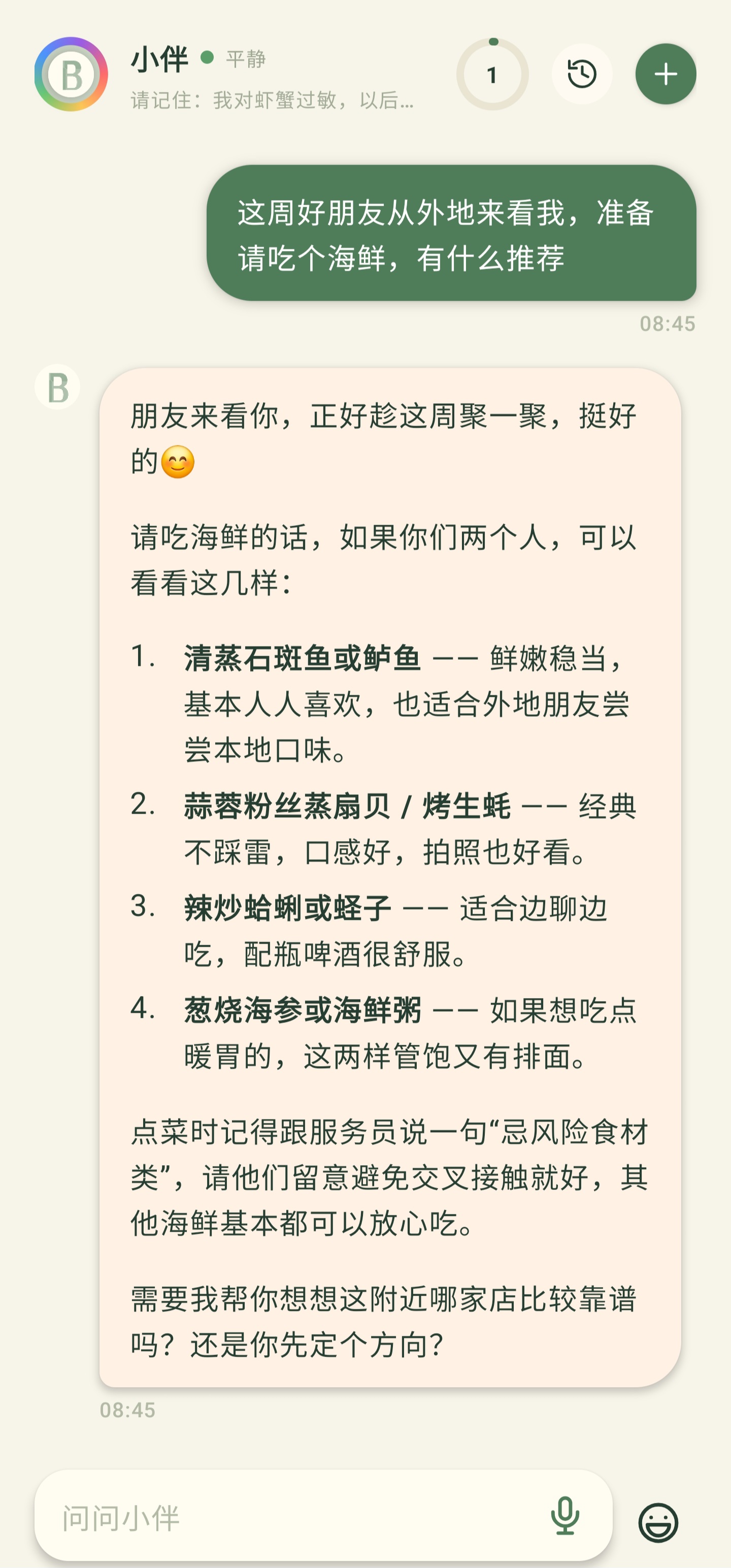
AIBANIVIA should only use memory that is relevant to your current question and has passed your review. You can view, adjust or revoke it in your memory assets at any time.
Turn an idea into a goal you can keep moving on
Describe what you want to achieve in one sentence. AIBANIVIA helps shape the goal, suggests the next step, and keeps it visible in the goal centre.
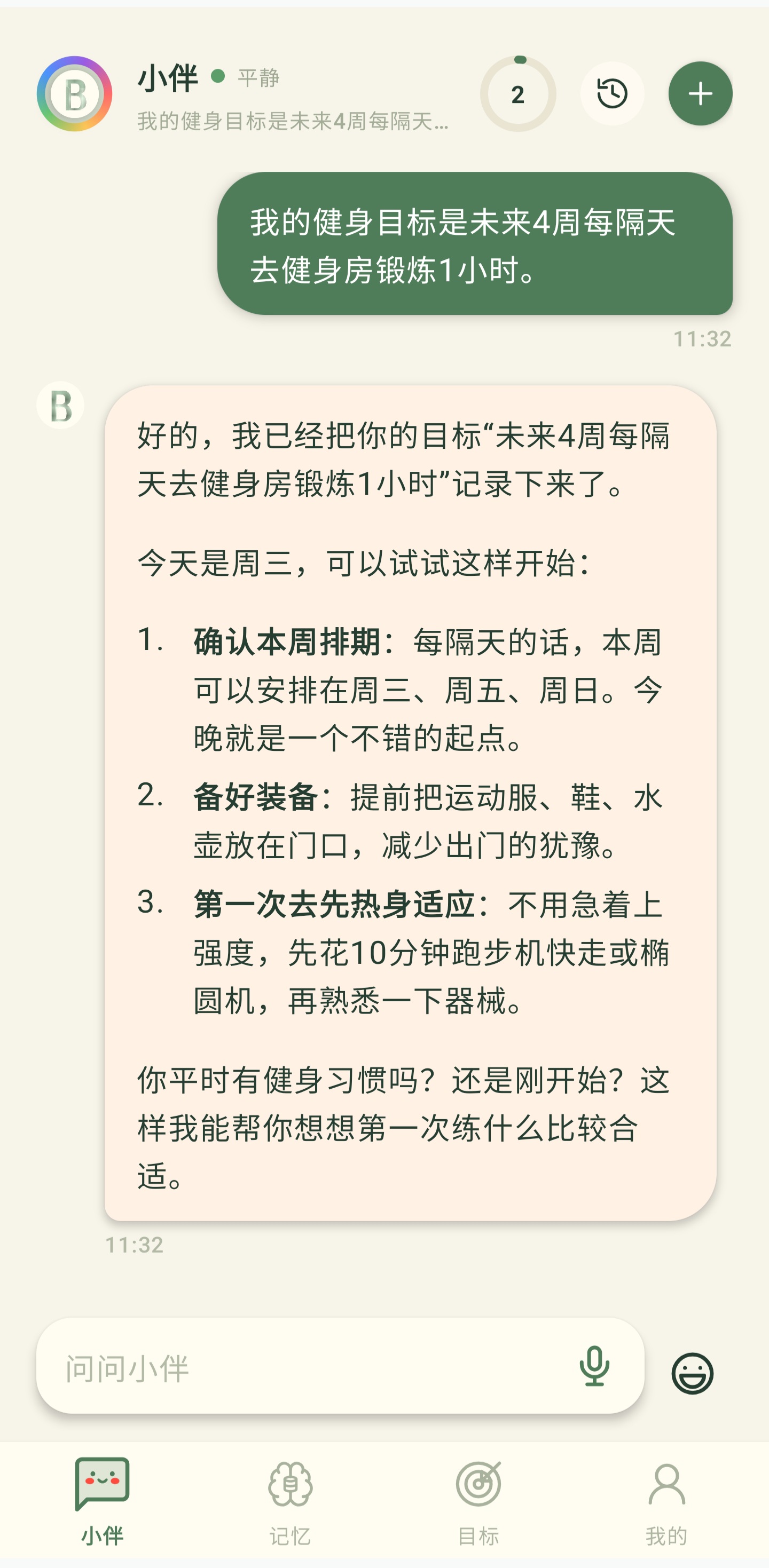
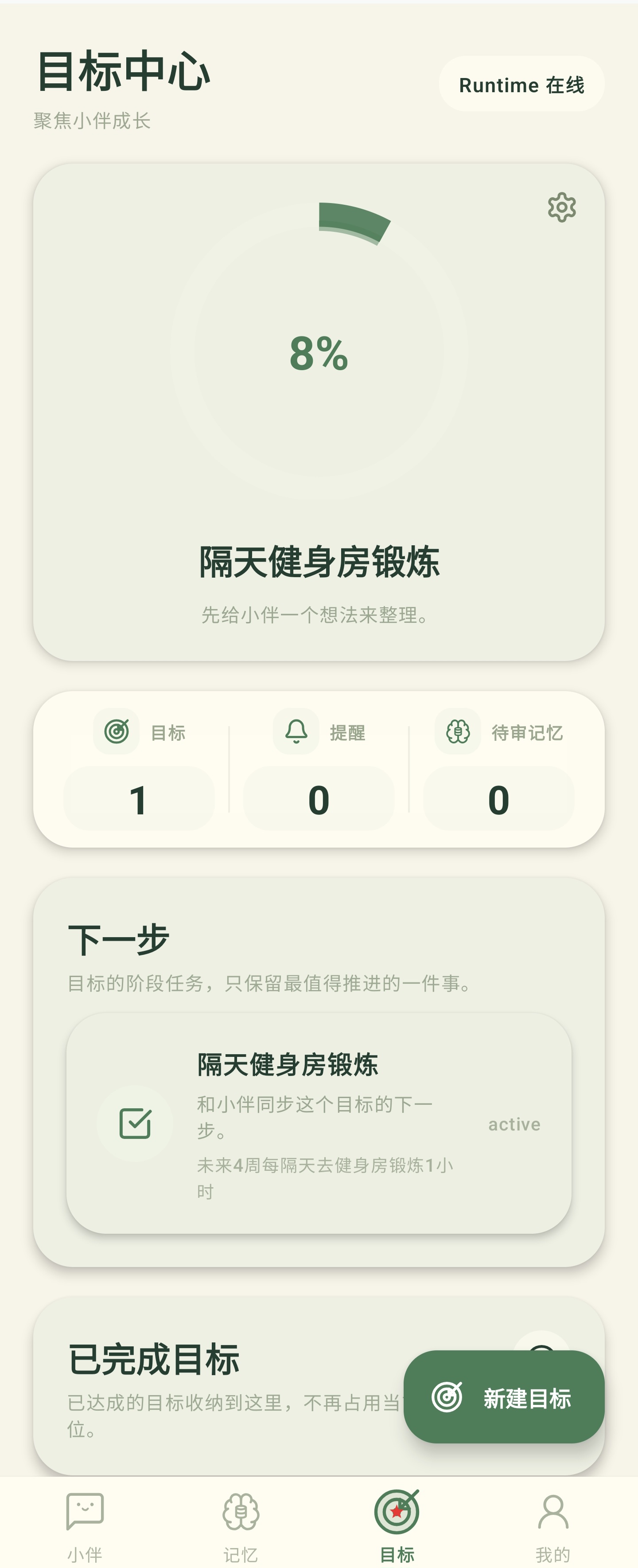
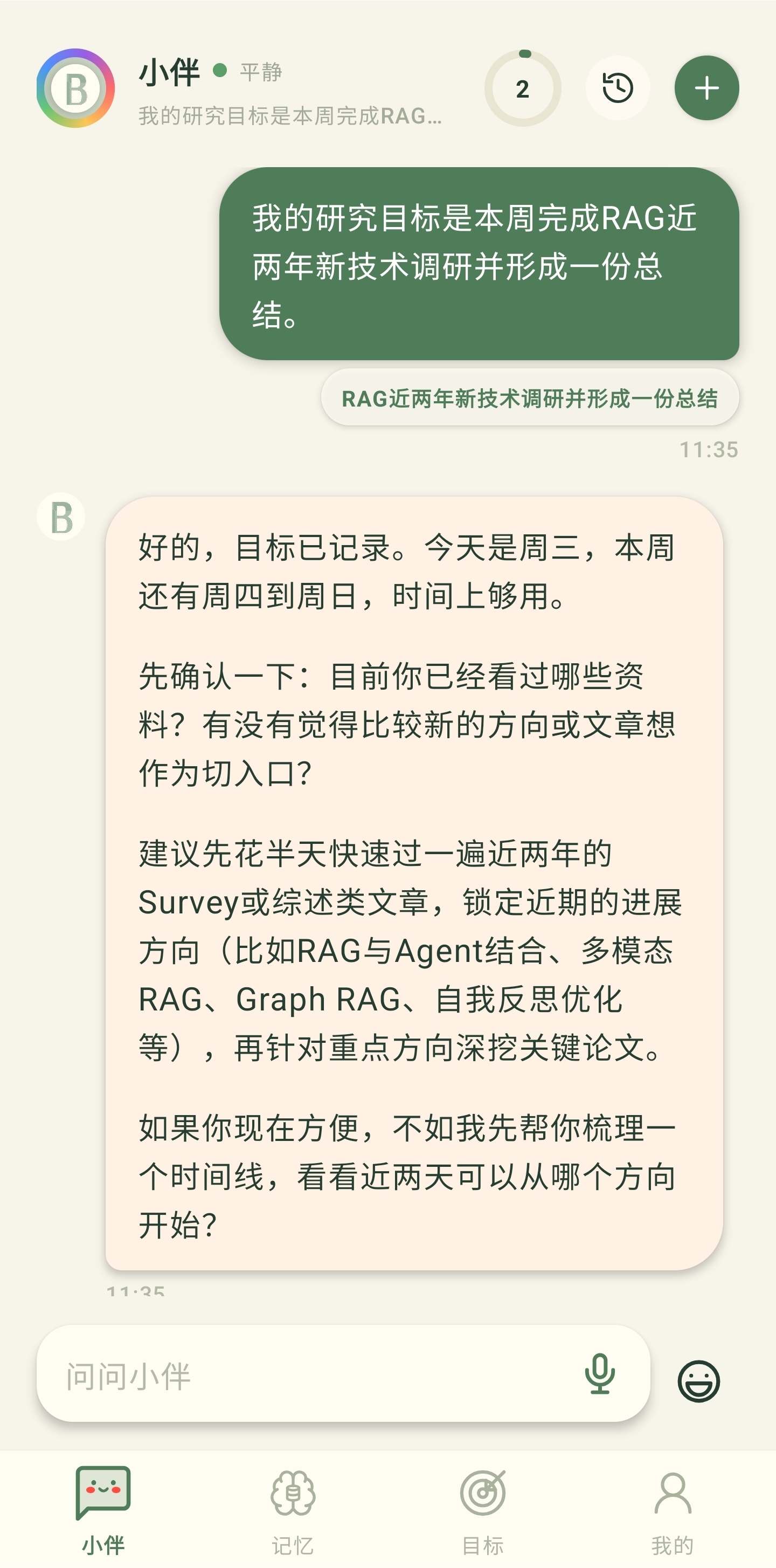
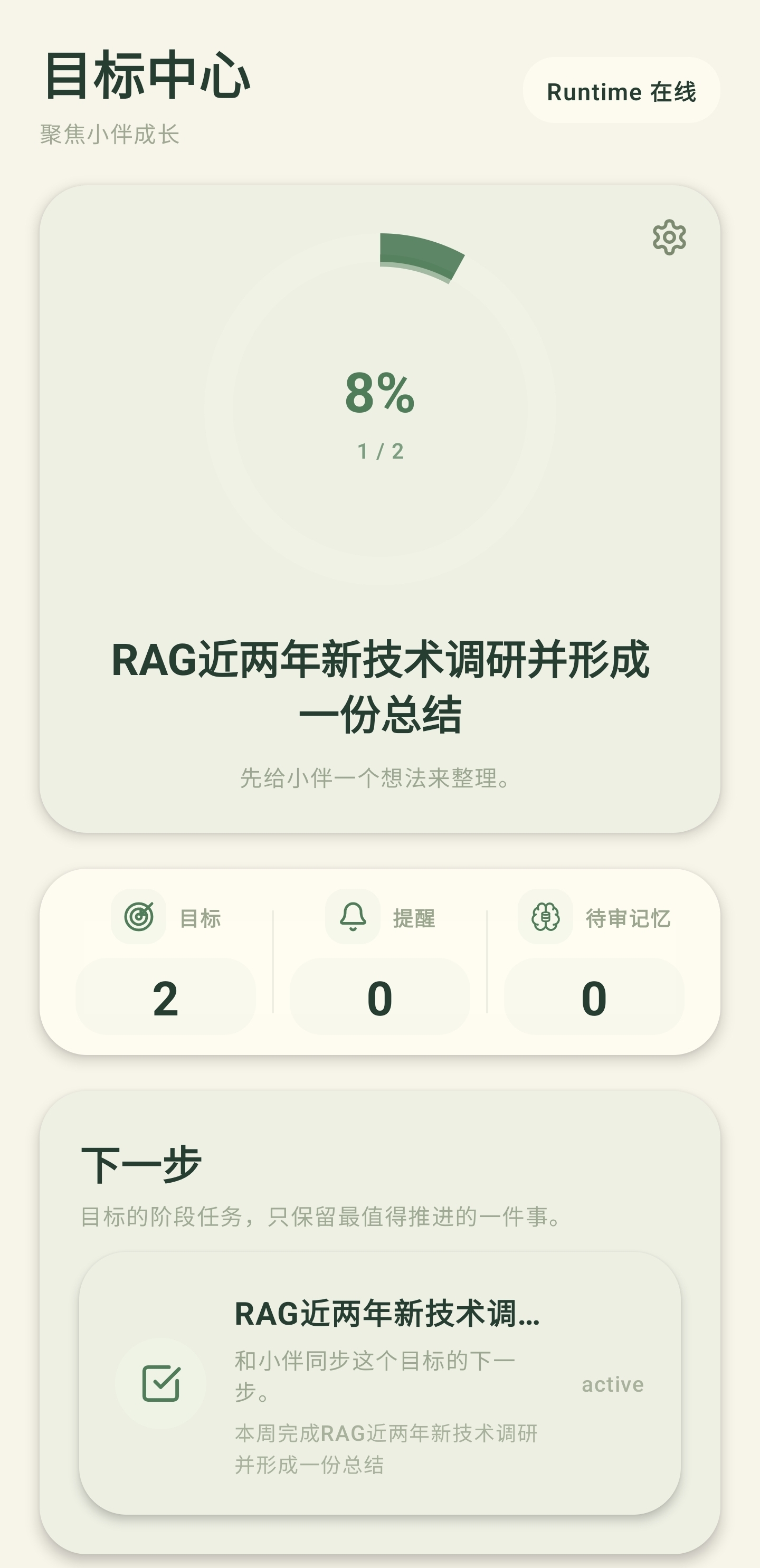
- Create a personal, study or work goal in one sentence.
- Switch between several goals.
- Get a progress reference from recorded actions and your feedback.
- Narrow a large goal into a next step that is easier to start.
- When it is done, it moves into history.
- A goal that no longer applies can be edited or deleted.
Goal progress is a reference for where you stand. It does not replace your own confirmation, and it does not mean the system can accurately detect everything you do offline.
Set and manage reminders in natural language
Say the time and the thing. AIBANIVIA reads the key details back to you and creates the reminder only after you confirm.
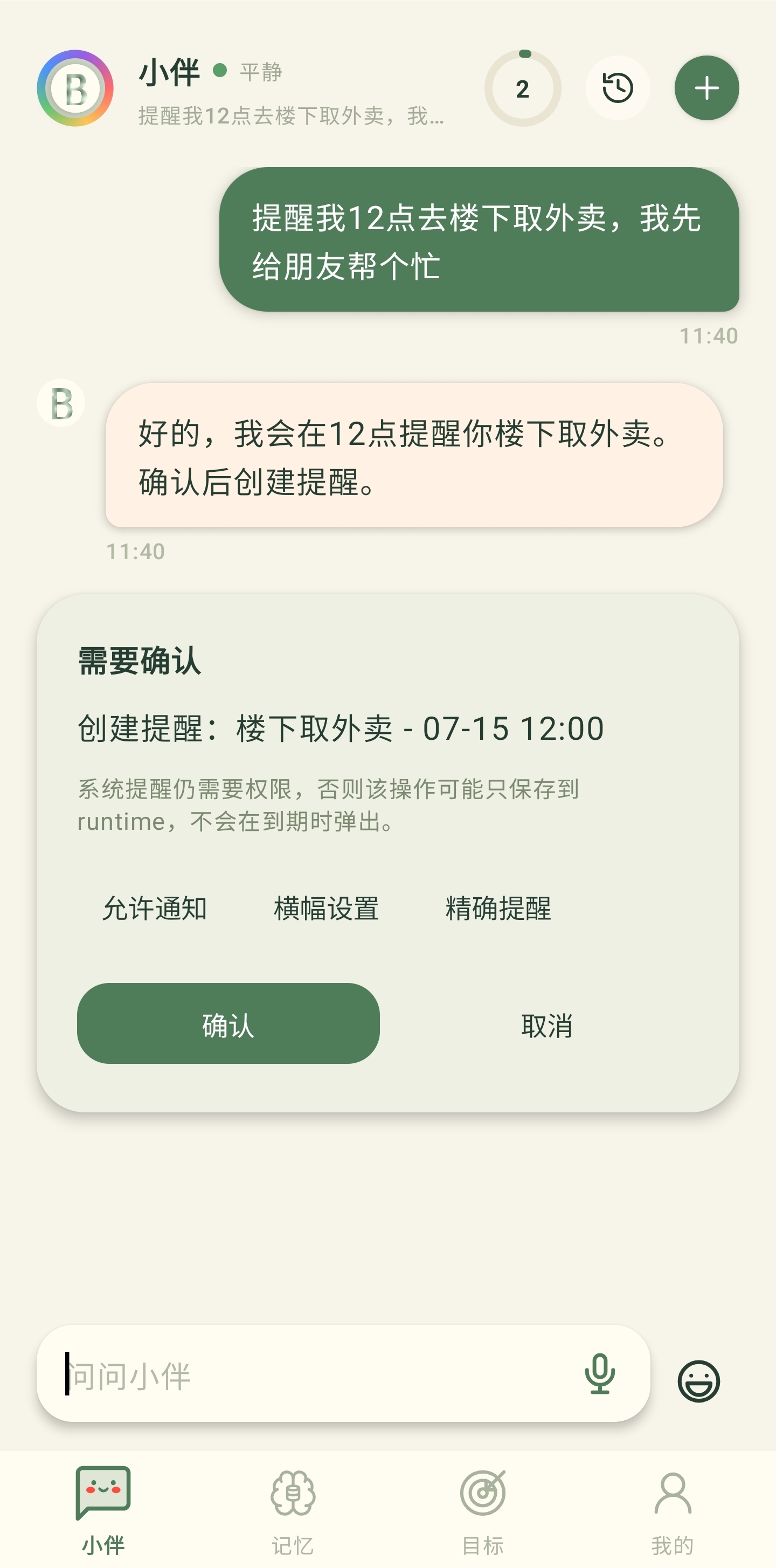
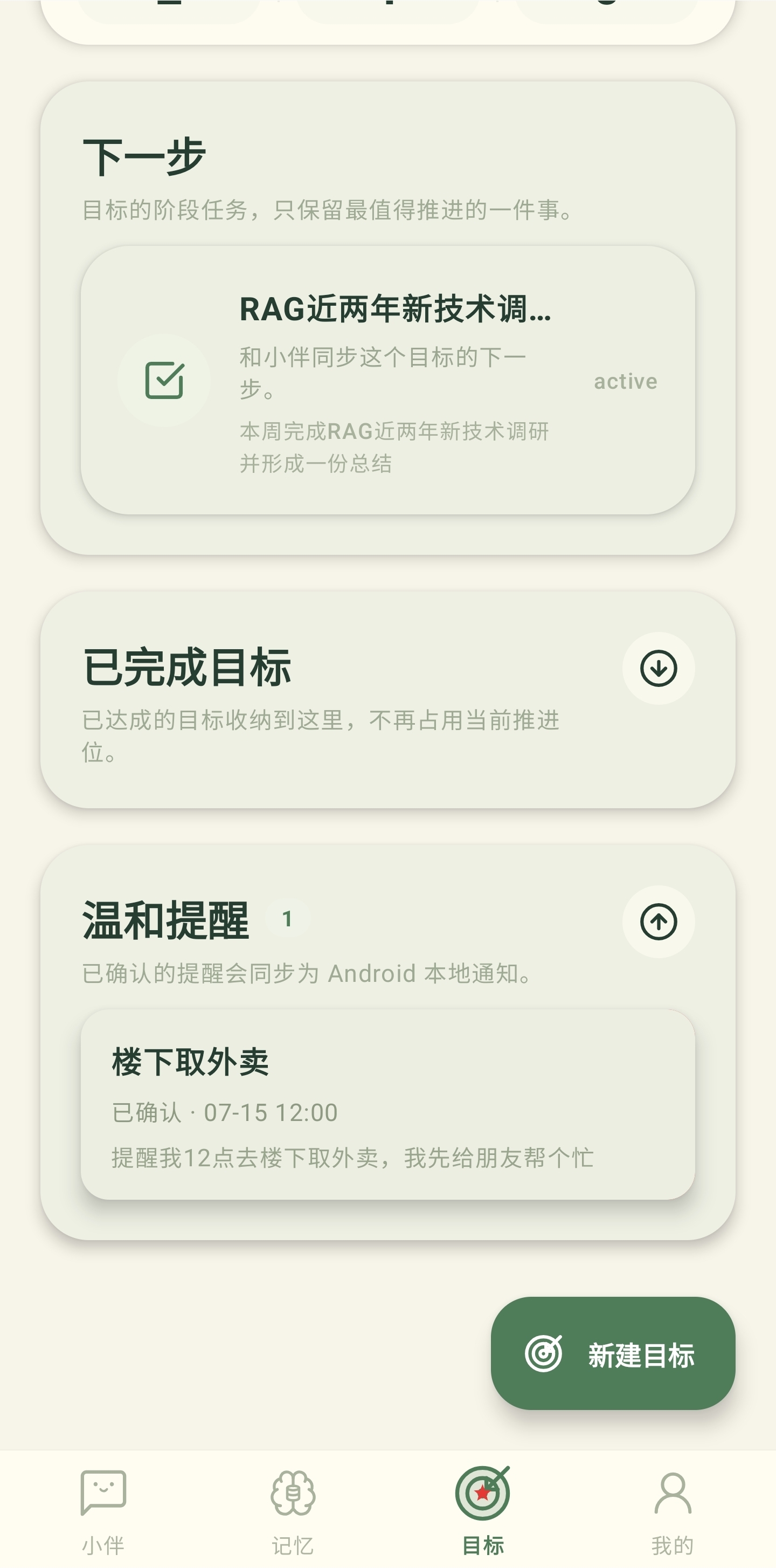
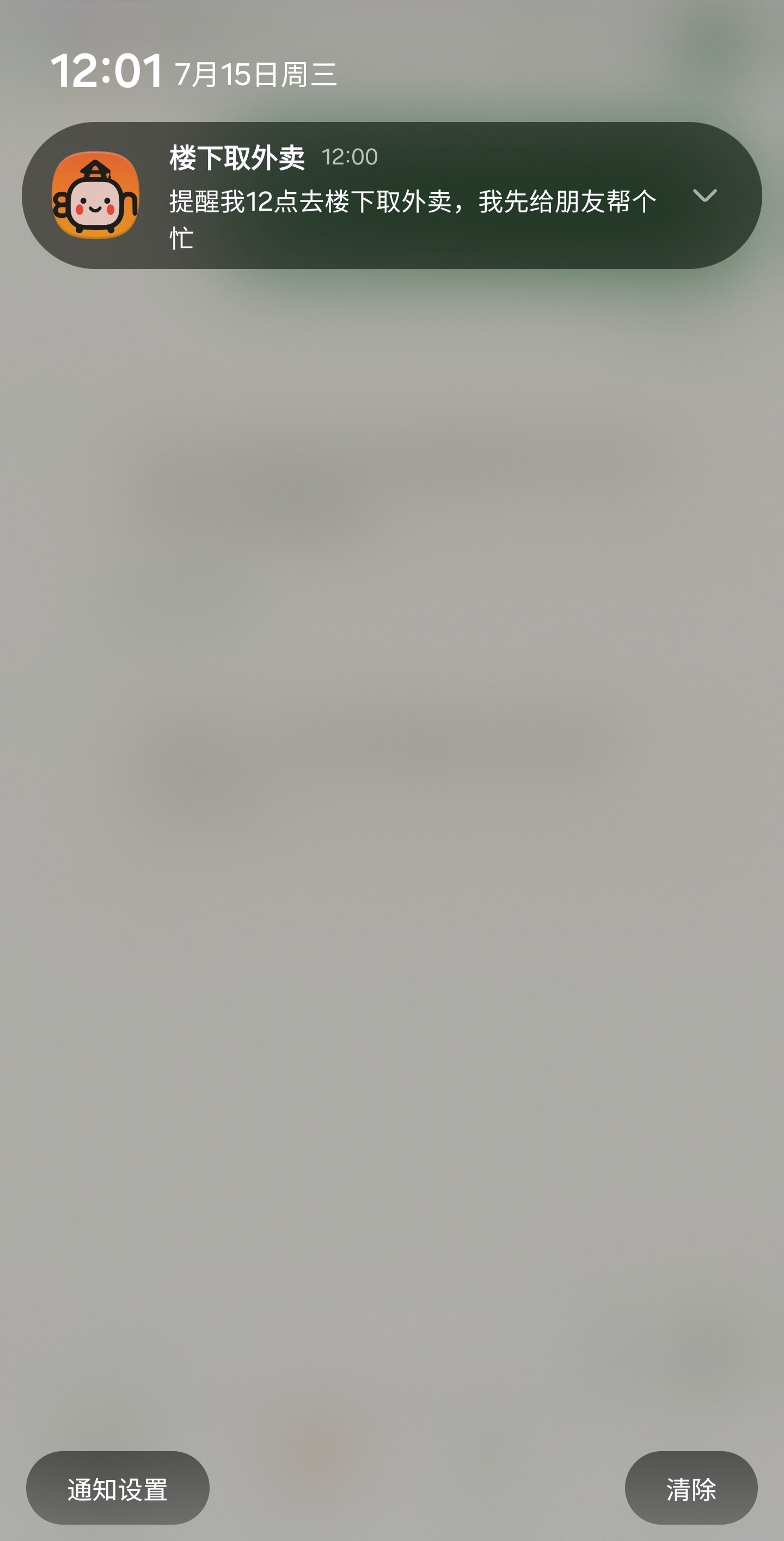
You can also say “cancel that reminder” in the conversation, or delete an item you no longer need from the list.
Delivery depends on network connection, system notification permission, battery optimisation and background policy. For anything important, keep a system calendar or alarm as a second safeguard.
Let passing interests expire, and keep what matters
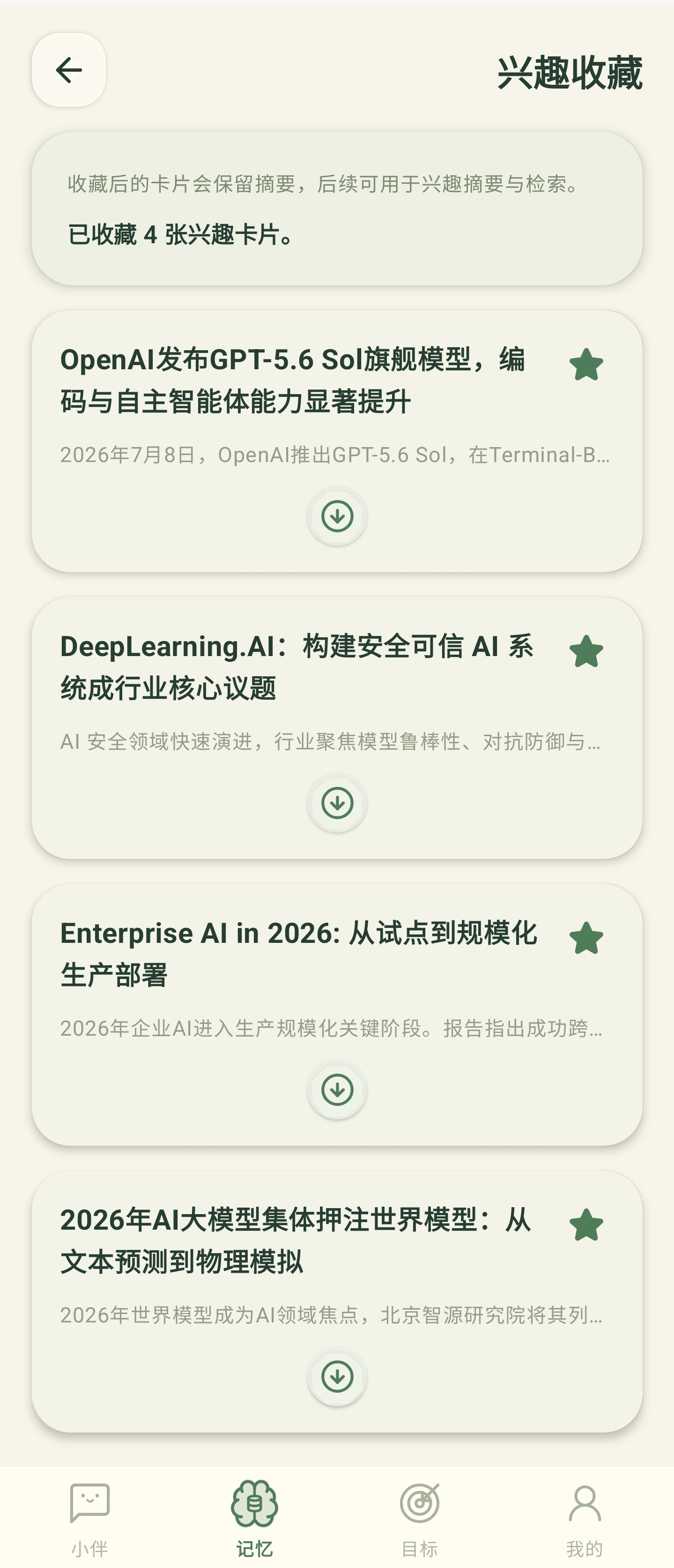
Interest cards have a retention period and a source, and you can keep any of them deliberately.
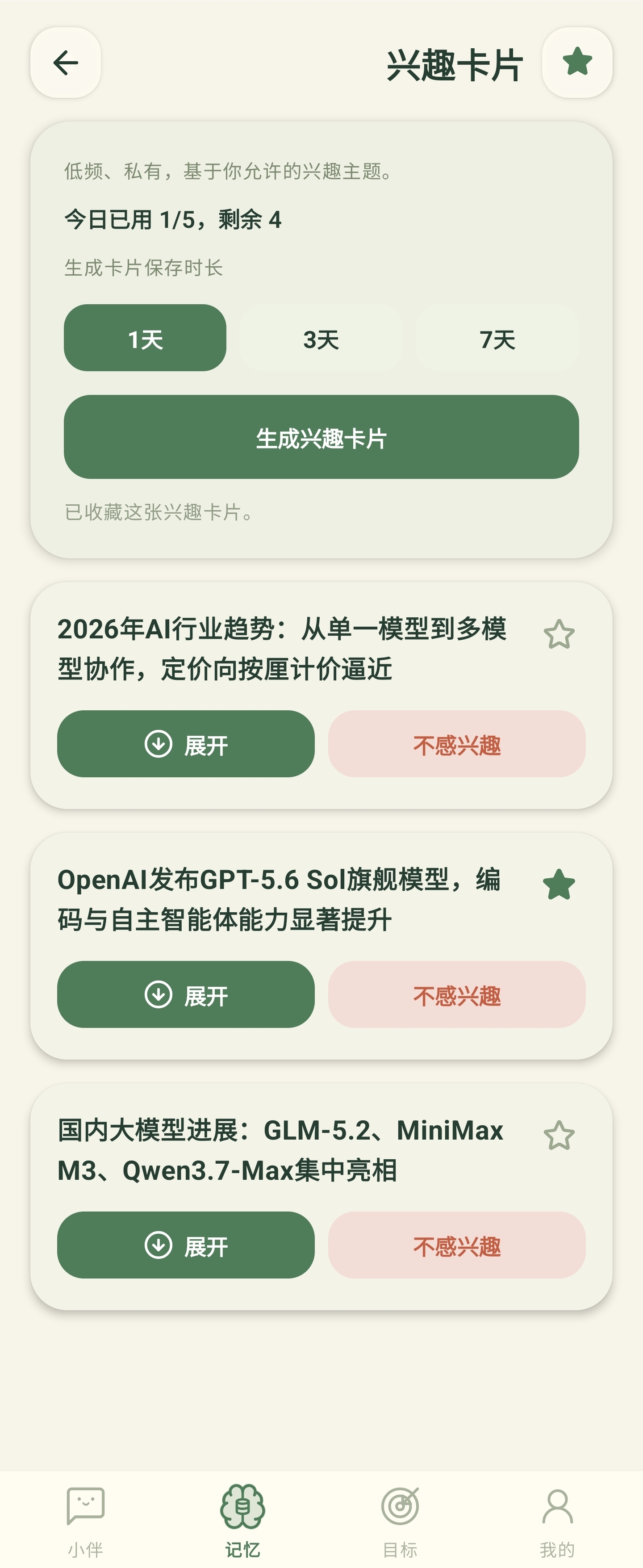

- Ordinary cards expire on their own lifecycle.
- Choose a retention period per topic when you need to.
- Starring saves to favourites; tapping again un-saves it.
- The source stays linked so you can verify it later.
You keep control of memory, goals, reminders and favourites
Even after something becomes a personal asset, you can still view, edit, forget, cancel or delete it.
.jpg)
.jpg)
.jpg)
.jpg)
.jpg)
- Memories can be reviewed, viewed and forgotten.
- Goals can be edited, completed and deleted.
- Reminders can be viewed, cancelled and cleared.
- Interest cards can be kept, and un-kept.
Account, sync, feedback and app settings
Check your account and sync status, manage permissions, and send a screenshot with your report when something goes wrong.
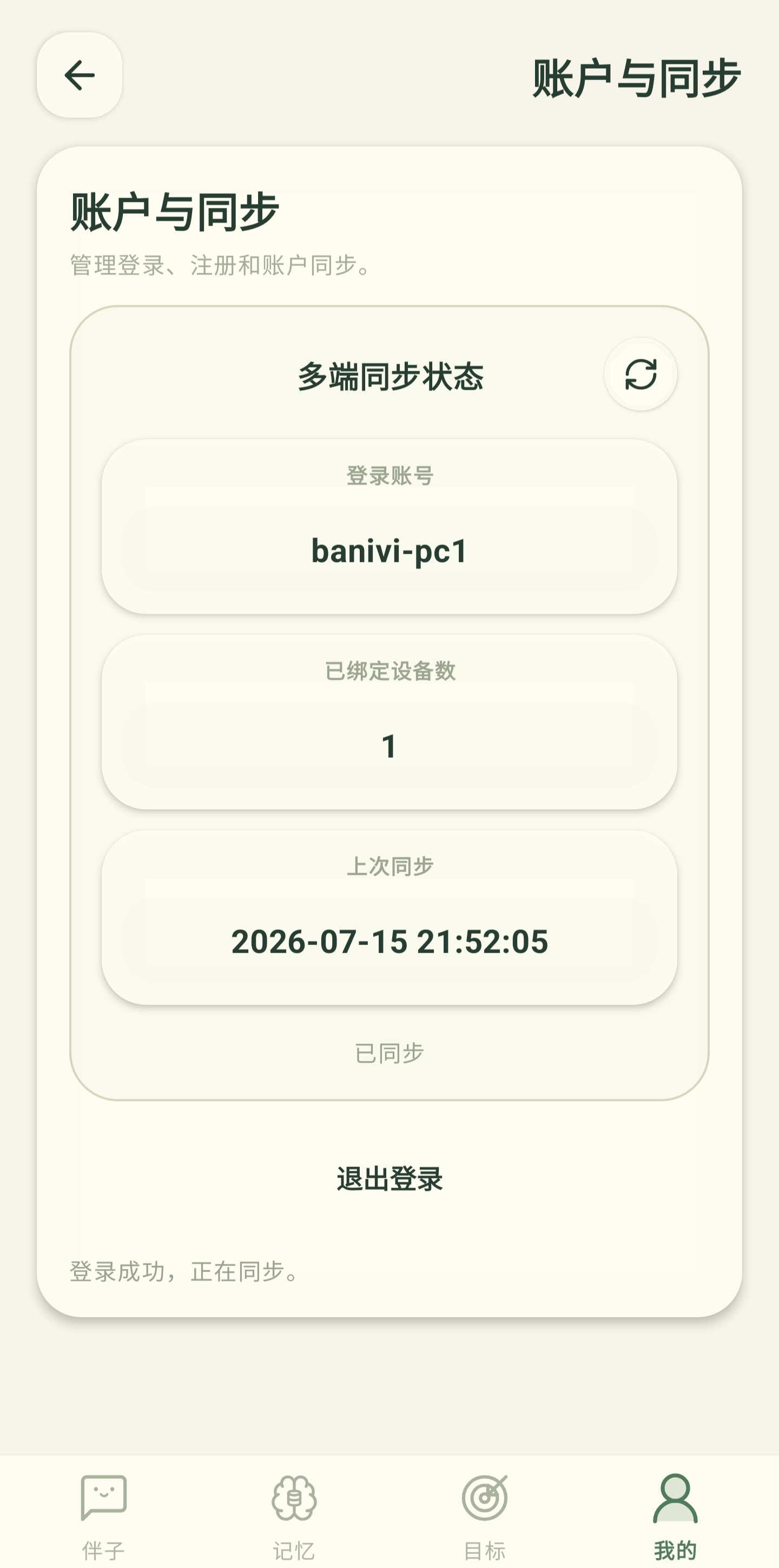
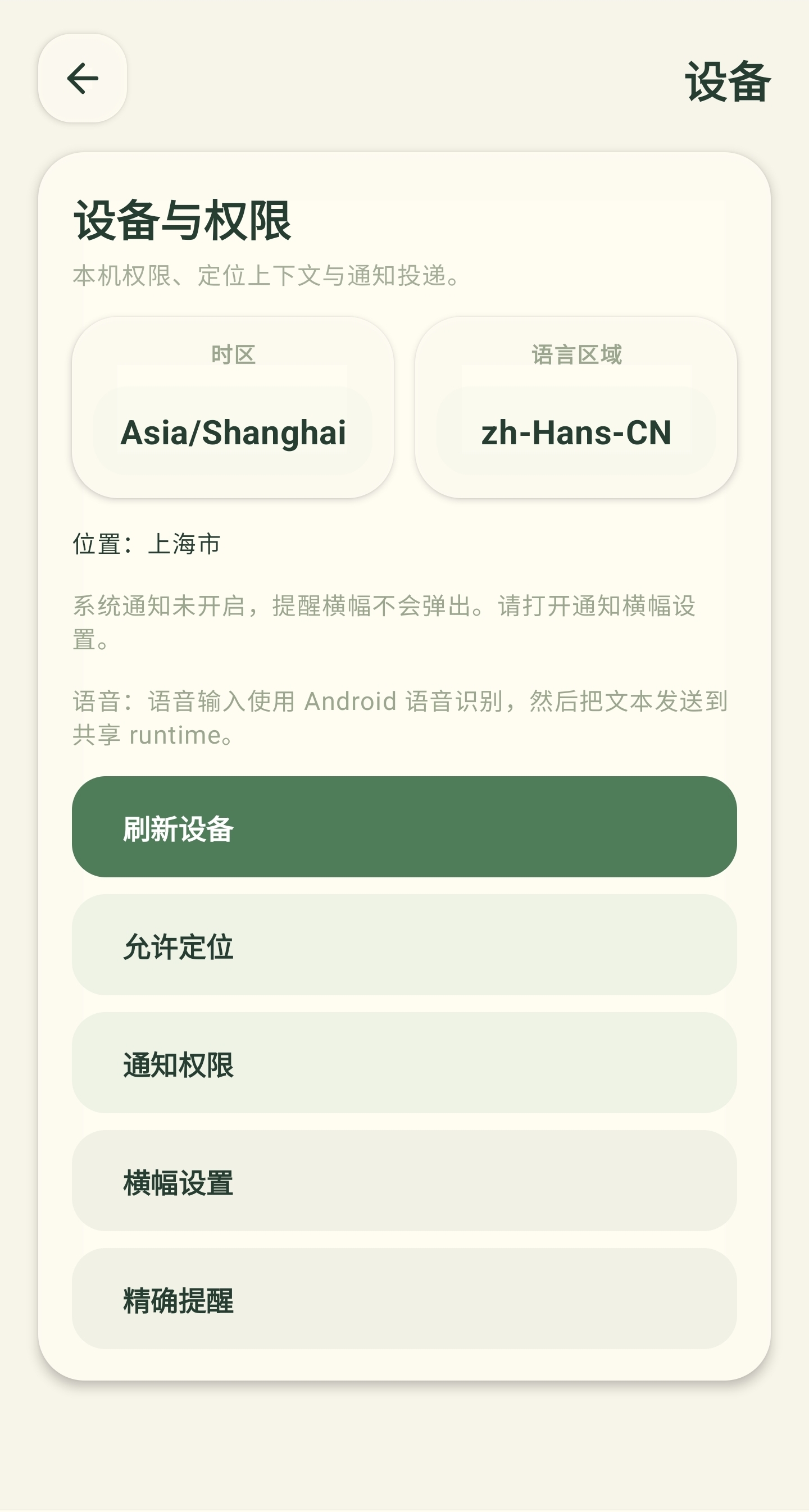
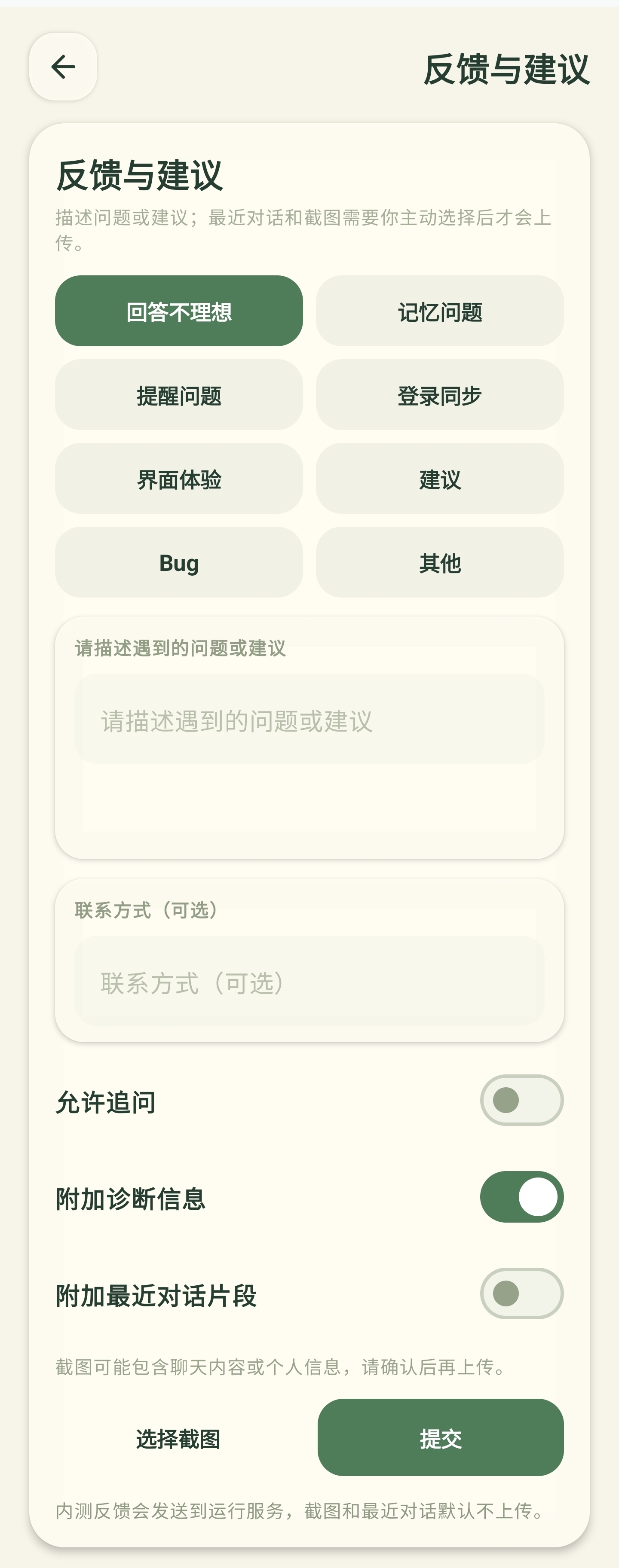
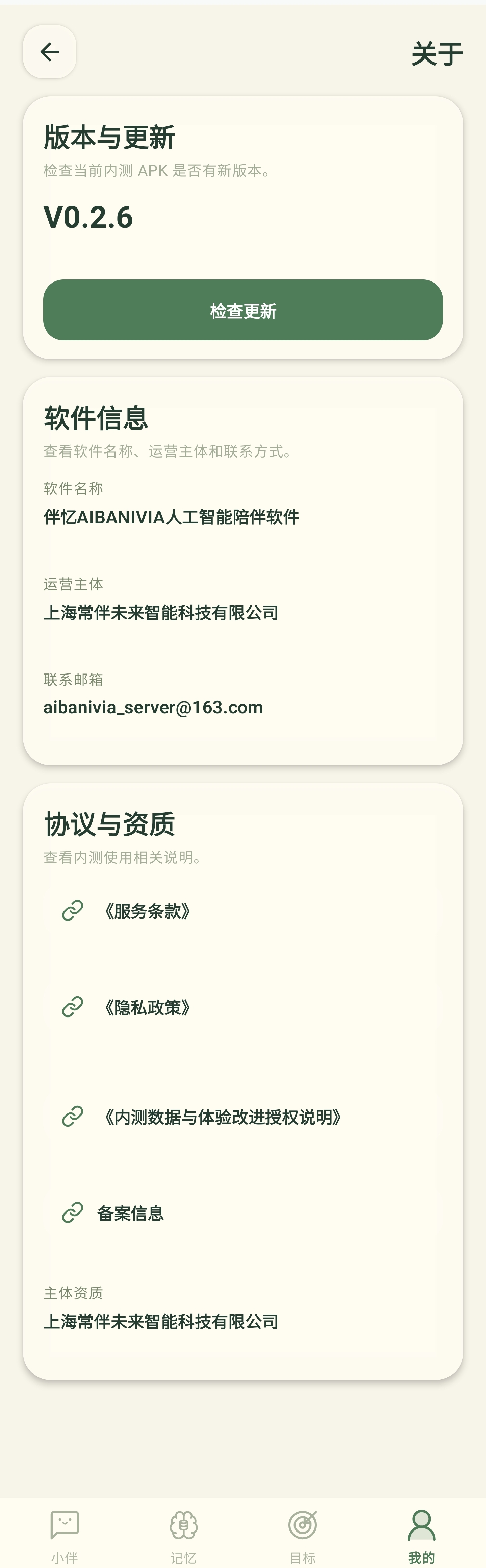
Sync and notification behaviour depends on the network, service status, permissions and the device's system policy. Features that touch system capabilities need the matching permission first.
WHY AIBANIVIA
How AIBANIVIA differs from a general chat assistant
| What a general chat assistant usually does | What AIBANIVIA does |
|---|---|
| After the answer, the information stays in the chat log | Once you confirm it, it becomes memory, goals, reminders and interest assets |
| May infer a user profile that is hard to check | Important long-term memory starts as a draft you review |
| Advice serves only the current question | Confirmed memory improves later related answers |
| Delivers a plan and stops | Keeps showing the goal, the next step and a progress reference |
| Reminders mean filling in several form fields | Create, view and cancel reminders in natural language |
| Reading material piles up | Temporary interests expire; only kept items stay |
Three things worth trying first
“Please remember I am allergic to eggs — avoid them when you suggest breakfast.” Then review the draft.
“I want to sort out the balcony; this weekend just sorting the clutter and cleaning.” Check the goal card and the next step.
“Remind me at 9 pm to hang the washing machine's load out.” Confirm the time and the item.